

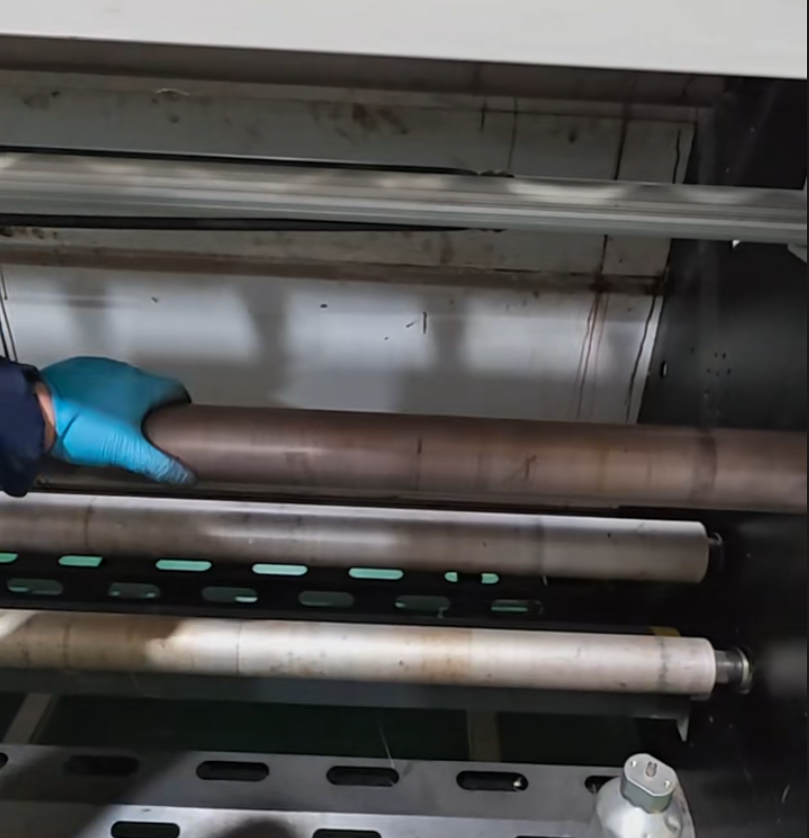
However, maintaining stable fabric feeding is just as important as choosing high-quality printheads or sublimation ink. After long-term use, rubber rollers inside the machine gradually become smooth, reducing surface friction and causing fabric slippage during printing.
In high-speed industrial environments, even slight feeding instability can affect registration accuracy, color consistency, and final print quality.
Modern dye sublimation dual spray printer technology uses synchronized dual printheads to achieve faster production while maintaining precise color control.
Many industrial systems now integrate Epson I3200 printheads because of their:
Compared with single-head models, dual-head systems offer:
This makes the high precision dual spray sublimation printer ideal for textile factories, advertising producers, and flag printing companies.
The rubber roller is responsible for moving fabric smoothly through the printing area. Over time, the roller surface becomes polished and loses grip.
When the roller becomes too smooth, several problems may occur:
This is especially problematic in industrial textile production where machines often run continuously for many hours.
Maintaining proper roller friction is essential for stable dual head sublimation printing machine performance.
Most industrial sublimation printers include a melamine cleaning sponge or “magic eraser” inside the accessory kit.
To restore roller friction:
Regular maintenance helps maintain stable feeding and reduces production defects.
For factories operating high-volume sublimation printer systems, roller maintenance should become part of daily production management.
Pressure wheels and guide rollers also accumulate contamination over time, including:
If these parts are not cleaned regularly, contaminants may transfer back onto the fabric surface and damage print quality.
This is particularly important for:
Daily cleaning helps prevent fabric contamination and maintains professional print quality.
A professional dye sublimation dual spray printer is designed for continuous industrial operation, but long-term stability depends heavily on proper maintenance.
Routine cleaning improves:
For businesses focused on industrial textile printing, preventive maintenance reduces downtime and protects production quality.
As industrial textile printing continues to grow worldwide, manufacturers increasingly demand stable, high-speed, and cost-efficient printing systems.
A well-maintained dye sublimation dual spray printer delivers consistent production performance, excellent color reproduction, and reliable industrial output. By regularly cleaning rubber rollers, pressure wheels, and guide rollers, businesses can minimize defects, reduce maintenance costs, and achieve long-term production stability.